
Client delivery portal for designers & studios
Deliver your design work.
Make it clear for your client.
Bring your presentations, prototypes and final deliverable links into a clear client portal. Keep each handover connected to the right project phase.
Built from industrial design practice. Your files stay in Figma, Drive and the tools you already use.
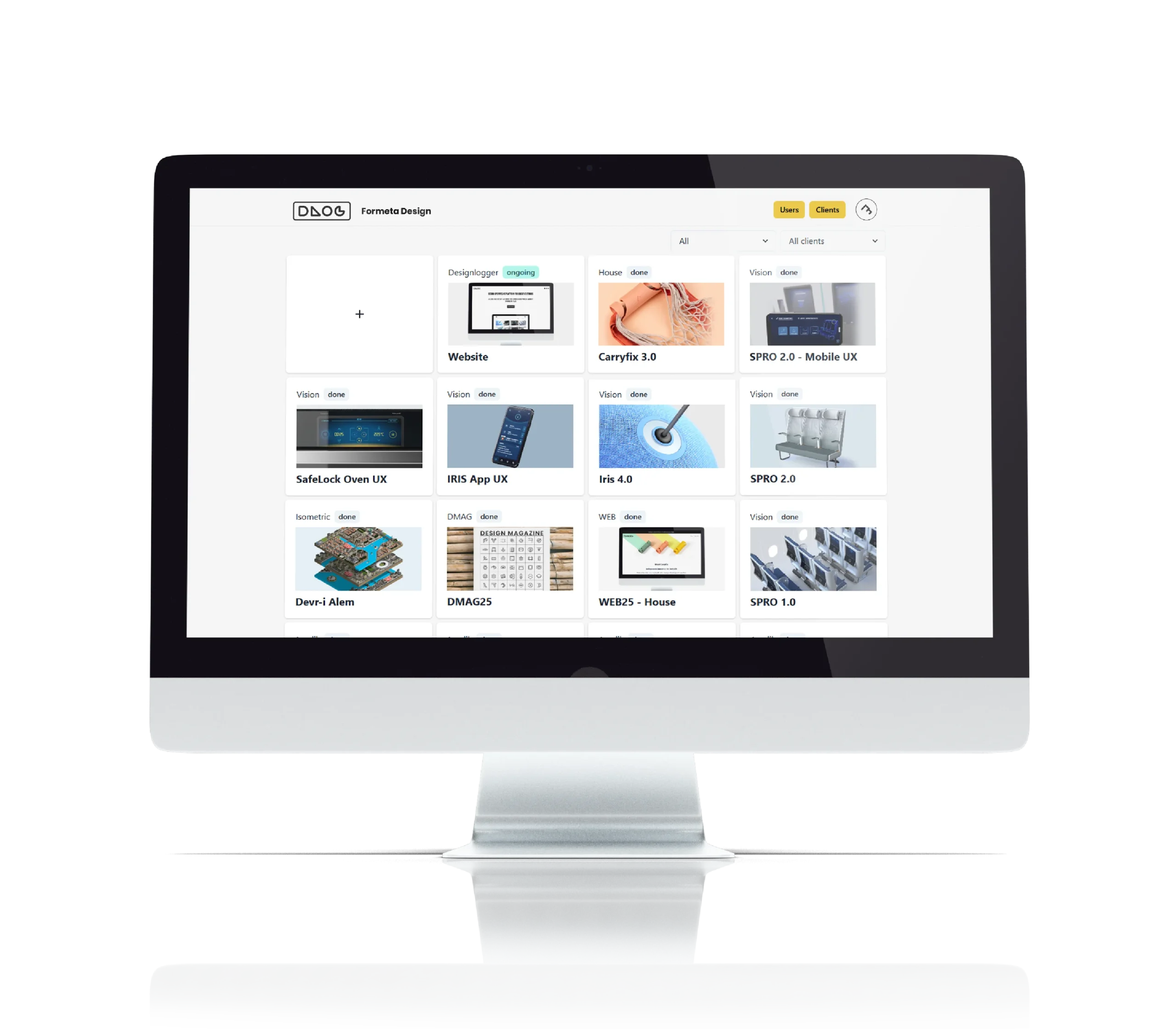
Your work is ready. The handover should be, too.
A presentation in Drive. A prototype in Figma. Final assets in another folder. Bringing the right links together and explaining what each one contains is part of every client delivery. Designlogger gives those deliverables a clear place to live in your client relationship.
How it works
1. Set up the client project
Create a client and a project for the work you want to share. Add a cover image so it is easy to recognize.
2. Bring the deliverable links together
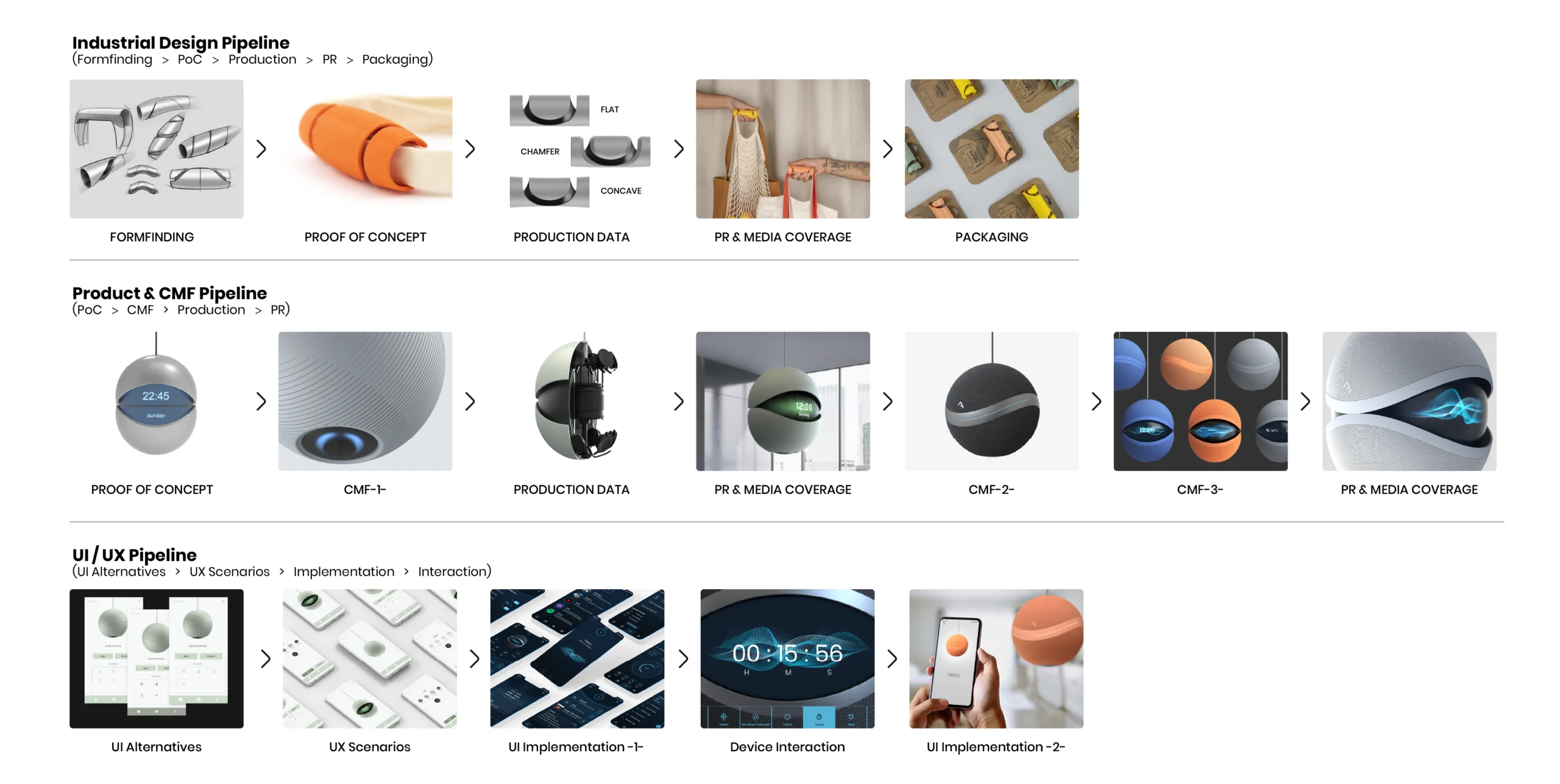
Add links from your existing tools to the relevant project phase. Use a new phase to distinguish a review, a revision or a handover.
3. Share the work with your client
Invite the client to the appropriate client area, or use Copy Email Block on Solo and Pro to prepare the delivery email. Confirm source-file permissions before you send.
Working with AI-generated material?
Shareable links from ChatGPT, Claude or Gemini can sit alongside the other references in the relevant phase. Check the contents and sharing permissions before including them in a client delivery.
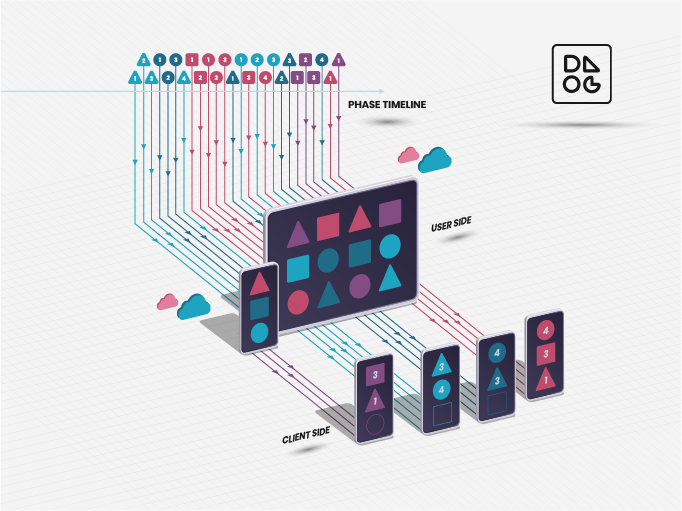
Give clients a clear place to find your work.
Present the deliverable links for each project stage in a focused project view. Give clients a clearer starting point when they need a presentation, a prototype or the material from an earlier review.
Check the client’s access to both Designlogger and the source files before sharing.
Send a delivery email without assembling it again.
Copy Email Block prepares a formatted block with your logo, the date, project number and deliverable links. Paste it into Gmail or Outlook, add your message and send from your own inbox.
Included in Solo and Pro.
Return to the work you shared.
Keep links organized by project and phase so you can find the material from an earlier stage without rebuilding the delivery from old messages.
Linked files remain on their original platforms. Their continued availability and version history depend on those platforms and their access settings.
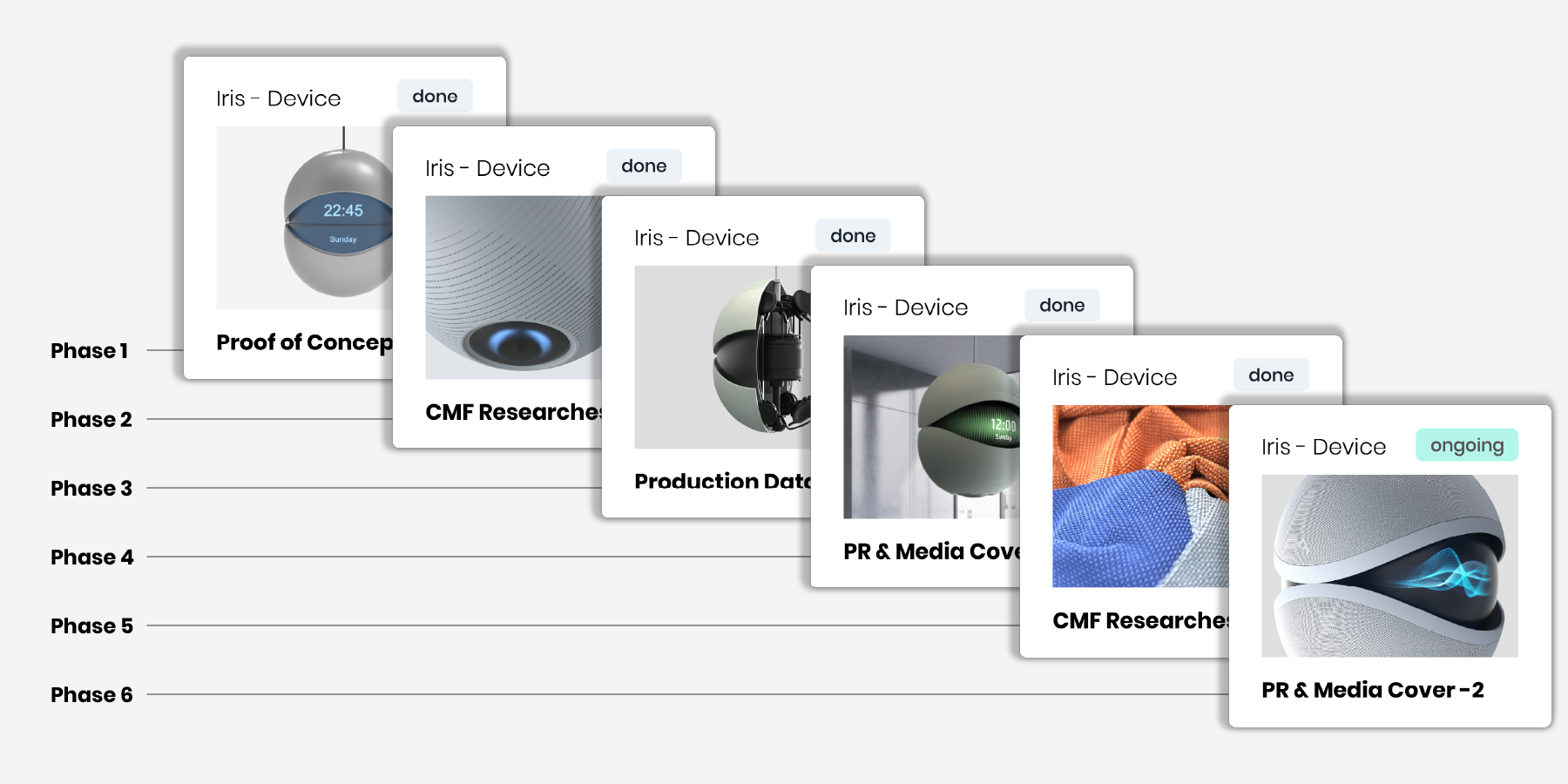
From the first presentation to the final handover.
Industrial design
Bring together concept decks, renderings, CAD links, CMF specifications and technical documents. Keep review material distinct from the final handover.
UX/UI design
Share Figma files, prototypes, exported assets and developer references.
Brand design
Organize identity presentations, brand guidelines and final asset links.
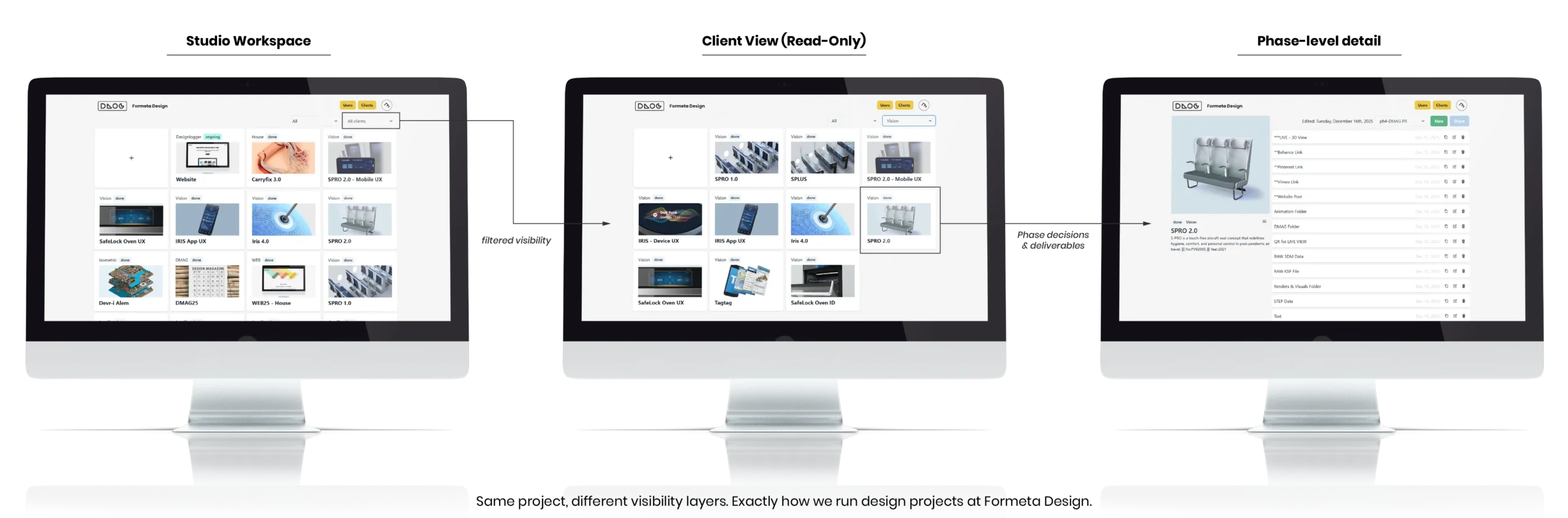
Built from real studio work.
Designlogger was created at Formeta Design, where client projects bring together presentations, design files and technical outputs across different tools. That experience shaped a practical way to bring deliverables together and present them clearly to clients. Created by Mert Sezer, industrial designer and founder of Formeta Design.
Start with your next client delivery.
Free
- Up to 3 clients
- 3 projects per client
- Full phase-based workflow
- 1 shared user per client
Solo
For independent designers
- Unlimited clients and projects
- Unlimited shared users per client
- Copy Email Block included
$129 billed yearly — save 16.7% compared with monthly billing.
Pro
- Everything in Solo
- Up to 5 teammate seats
$390 billed yearly — save 16.7% compared with monthly billing.
A few things to know
Do I need to move my files?
No. Add links to the files and tools you already use. Designlogger stores project information and optional cover images, rather than the original deliverable files.
Do clients need an account?
For portal access, invite clients and assign them to the appropriate client area. They sign in to view shared project resources. Delivery emails can be read in their usual inbox; linked files follow the source platform’s access rules.
Does a saved link preserve a file version?
No. For a fixed handover, link to an exported or versioned file on the original platform. A live link may continue to change.